Showing posts with label Reviews. Show all posts

Wednesday, July 31, 2013

TOS Crew - Circle Time Review

We have over the years often had a gathering time in the morning after breakfast where the kids and I would read from the bible, sing songs, and pray together before we started our day. But unfortunately, that hasn't stayed consistent. I heard about Circle Time from Preschoolers and Peace and hoped I would get fresh ideas to again implement this in our day.

Website logo photo circletimelogo2_zps58ab71e5.jpg

Preschoolers and Peace was started by Kendra Fletcher a homeschooling Mom to 8 children ages 20 down to 5. She began by giving workshops on how to homeschool older children with little ones running around and then began her website. She is a speaker and a writer and I am reviewing her e-book called Circle Time: Plan the BEST Part of Your Homeschool Day.


 photo CircleTime_zpsf50b8efd.png

This time I was smart and had the e-book pdf file printed out for me as I tend to struggle getting a book read if it is electronic. Although the benefit of an e-book is the clickable links. This is only 33 pages but is full of good ideas on planning a circle time that works for everyone in your family. What is Circle Time? It is not original to the author and in fact I know one of my blog friends includes this time in their homeschool day. It is basically a time to gather together as a family to begin the day. Although, it can also work at other times of the day as well.

Some of the Contents of this book are:

  • Planning a Circle Time That Works for You
  • Strategies for a Peaceful Time Together
  • How to Get Your Kids on Board
  • Questions From Moms Like You
  • Words of Wisdom from Other Moms Who Do Circle Time
  • Resources, Activities, and Ideas
  • Printables
I found that Circle Time can be so much more than just reading, singing, and prayer time. Not that those things aren't good and that might be enough for some, especially if you have all young children. But as my children are getting older the routine we once had doesn't fit quite as well. Sure, my oldest will still sing "Father Abraham" and enthusiastically do the actions but I can't say that it would be his top choice. And so this was helpful to see how to add in various aspects such as memorization of poetry and scripture, word of the day, Gratitude journals, and even overlapping subjects such as history and science. The point of this is working together as a family which is one of our goals. Kendra recommends that when you begin you use her printable form included in the book to list each child's daily requirements and when you see subjects and activities that overlap that those would be the kind of things to plan into your Circle Time.

There are sample routines listed and I found myself reading through this book looking up resources as I went very excited about all of the possibilities to include during this time. Circle Time could be as short as 15 minutes or up to 2 hours when including daily subjects. Then all that is left in the day is for the child to do their individual subjects such as math. 

My favorite and simple idea to implement was "Popcorn Prayer" which I have done before but not with the children. You simply use the acronym ACTS (Adoration, Confession, Thanksgiving, Supplication) and each person takes a turn saying something that fits. So you could begin by telling God, "You are loving", and then the next person would say another adoration. And then go on to confess something such as, "Forgive me for my bad attitude, help me to speak with kind words" and on it goes. This makes it easier for the child and everyone participates to their ability.

I could go on and on about all of the fun ideas to implement into your Circle Time but if you are like me and like to follow someone's lead then this is a great book for you. Admittedly, implementing a time to gather is difficult in the non-scheduled busy summer. And so we didn't get to do as much with this as I would have liked. But I definitely look forward to using this when we begin school again.


Photobucket
 photo DisclaimerGraphic1_zpsf612f371.gif

Thursday, July 25, 2013

TOS Crew - Homeschool Programming Review

I am sure the same is true for most of you but computers were a new thing when I was in school. I remember the first learning game I played in 5th grade about the Oregon Trail. Then by middle school and high school it was mainly typing classes. When I went to college I took more computer classes and found out that might be something I was good at so then went to tech school specializing in computers. I laugh at that now because while I enjoy playing around I do not like the technical aspect of how they work. But that is a great skill to learn with the technology age we now live in. And that is something I wanted to see if my kids might excel in. I saw Homeschool Programming Inc. and thought this was a perfect opportunity for them to learn more about how computers work.

  photo logo_zpsfc09b7b4.jpg

Homeschool Programming Inc. offers computer programming courses for kids and teens. They were written by homeschooling parents that work in the fields of Computer Science and Engineering. The courses are hands-on and written for the student in an engaging way. And as the parent you do not need to know computer programming to assist your child. 

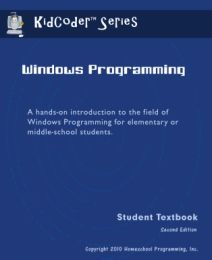
I was able to have George work on the KidCoder Visual Basic Programming which is for 6th - 8th grade. This comes with a bound textbook and course CD.


 photo KC_WP2_Cover_MED_zpsb37bc144.jpg

We used the textbook from an adobe file (although it would be easier using the printed book) but it was easy to follow with pictures showing what your screen should look like. George was excited to get started with this at first. He enjoys working on computers but reading through instructions and things like this are not his strong point. I found that I needed to be on hand quite often to make sure he was following the instructions which were quite detailed as the programming didn't always work out as it should. But as a parent if you read through you can easily find the solution. And there are also online helps for you as well.

There are two semesters in this course (that are purchased separately) and the first is learning the basic programming skills. The second semester begins with what George really wanted to get into which is programming your own game.

As with all curriculum I found this program may not be for all children and am thankful that I have some up and coming that it will interest more. If you think your child might have an interest in the computer science field have them watch sample lessons to see what it is all about. I admit I didn't do that and just told George this was something he might enjoy. Not the best idea. But if you have a hands-on-learner who always wants to know how things work and are more self-motivated then this course might be the perfect fit.

Homeschool Programming Inc. offers other programming courses for kids as well as teens. I personally thought the web design course sounded fun. If your child is an audio visual learner there are instructional videos available as well.

You can purchase KidCoder: Windows Programming as well as KidCoder: Game Programming for $70 each for the course alone.  Or you can buy them together in a Year Pack for $120.


Photobucket
 photo Disclaimer2_zpsff718028.gif

Wednesday, June 5, 2013

TOS Crew - See The Light

Have I told you before how much I enjoy art? :) Thankfully most of my children also enjoy it. Some more than others of course. And I have also come to appreciate lessons on DVD to assist me in teaching in the busyness of life. See The Light "brings an art teacher right into your home".

 photo logo_zpsd9b498e2.gif

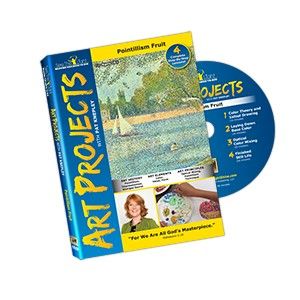
We reviewed a DVD from See The Light's Art Projects Series called "Pointillism Fruit". It is recommended for ages 10+ and while some younger children may attempt this project it really does work best for the the age it says. This project is inspired by one of my absolute favorite forms of art - impressionism and studied the life of Georges Seurat.

 photo ap_complete_4-small_zps3fd61aa8.jpg

Our Experience

I did decide to have all of the children (ages 5 - 13) watch the DVD and attempt this art project. We watched the 20 minute lesson together as teacher Pat Knepley gave background information on Georges Seurat, explained about the type of project we were creating, and gave detailed instruction on how to paint making dots with a cotton swab.

There were 4 lessons and while it probably is best to go though one a week, some of my children were anxious to continue working on their project and wanted to keep watching. My non-artistic ones -- not so much.

Our project was to create a still life drawing in very light pencil and then paint over it using cotton swabs in an up and down motion to create a small dot of color. It was fun to see how the painting would change with each lesson. At first the children thought it didn't look that good being that it was only one color on the fruit. But, each time more color was added and finally shading, until the fruit had more of a realistic look to it. Of course as with this type of painting, up close it doesn't look very nice at all, which in a way makes it a bit more difficult to see how you are doing. And admittedly some of the kids got quite discouraged, especially with the shading, until I held their painting back from a distance for them and they realized that indeed it looked like fruit.

We did have most of the supplies we needed on hand but I did buy some new acrylic paints in the suggested bright colors. We used poster board cut in half for our canvas.

This project should not be rushed even though they may want to work ahead. It is best to take time with the drawing and then make nice even dots of paint. And take time to study the fruit and decide what colors to add. Just because the instructor has one color fruit doesn't mean yours has to look the same. I do think it might be best to have artificial fruit as was done on the DVD unless yours doesn't go bad over a 4 week time period. We had to change out bananas and nectarines as either they would get eaten or they'd have brown spots. It worked okay though.


First lesson was sketching the fruit and painting them one solid color. I sketched the fruit for Seppy but he enjoyed the painting with assistance from all.

 photo See-the-Light-1st-Step--2_zpsfab6213f.jpg

 photo See-the-Light-1st-Step_zps850e4c9a.jpg

Can you tell who enjoyed this project?

 photo See-the-Light-1st-Step--3_zps64a8b3e3.jpg


What I Liked

I loved that Pat incorporated God's Word into each lesson. After all, God is the master artist and so she would always pull open her bible at one point in the lesson and read a passage of scripture that correlated with what she had said. 

I always enjoy the background information on the artist and it was presented in an interesting way, not dry or boring at all (except maybe for the younger set but remember it isn't for them!) Did you know that Seurat's paintings were done on 7 foot walls? The kids found that fascinating. Perhaps we should cover our wall in a pointillism painting to cover all the other markings from over the years!

The art lessons were just the right length and then there was time to work. And in the end they came away with a nice piece of art that can be framed and some of the boys are talking about entering them in the fair.


Third lesson. See how far Seppy has come? Not bad for a 5 year old!

 photo See-the-Light-Seppy_zps38c63e2f.jpg

I like Missy's nectarine. She did a good job adding the yellow and orange to it.

 photo See-the-Light-Missy_zps38e08f6d.jpg

Final lesson -- George is adding the shading and some highlights.

 photo See-the-Light-George_zps7dece61a.jpg

Completed project with a hint of a table line in the background. Pete and Re-Pete were especially pleased with the paintings after they saw how they looked on the picture.

 photo See-the-Light-Finished_zps0fc6f5b3.jpg

Thanks Pat! We had fun and look forward to more art lessons with your instruction!

Purchase for Yourself

You can purchase Pointillism Fruit, the 4th DVD in the Art Projects series for $14.99


There are so many other great products from See the Light. Click here to read more reviews.
 photo DisclaimerGraphic1_zpsf612f371.gif

Thursday, May 23, 2013

TOS Crew - Luke's List Review

You may have figured this out from previous posts of mine as I feel like I say it often but organization is not a skill I flourish in but rather something that takes a lot of work. Too bad as this Mom could really use it as a natural ability! I don't know about other homeschool Moms but keeping records has always been a struggle for me and with high school on the horizon I have to have records. I read about Luke's List from Joyce Herzog and knew I needed this!

 photo joyceherzog_zps3c5942dd.jpg


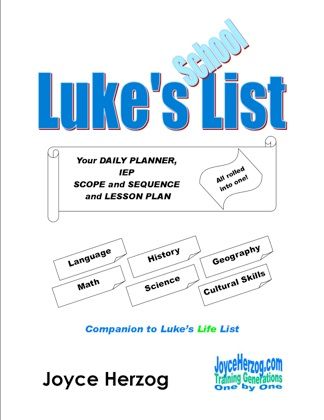
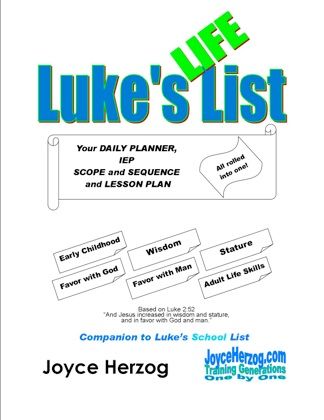
I received both Luke's Life List and Luke's School List. The title is based on the scripture Luke 2:52 - And Jesus grew in wisdom and stature, and in favor with God and man (NIV). Both are spiral bound 8 1/2 X 11 books. I wasn't drawn in by the appearance but when I opened Luke's School List up -- Wow! Very overwhelming! There were lists and charts and seemingly everything that my child will learn over a lifetime.

 photo LukesSchoolListCover_zps277b7b9e.jpg     photo LukesLifeListCover_zps1c554a22.jpg

Now, thankfully the introduction explained just how to use the book and to take it little by little. It is arranged in such a way that takes each subject and breaks it down into individual skills and goals which are listed in table form. So for example Math Skills was broken down like this:

  • Counting
  • Addition
  • Subtraction
  • Money
  • Time
  • Fractions
  • Measurement
  • Multiplication
  • Division
  • Decimals
  • Geometry
  • Charts, Graphs, Tables
  • Problem Solving
  • Ordinal Numbers
  • Calculator
  • Percent
  • Ratios
Then it was further divided by goal with anywhere from 15 - 40 for each. Two goals that fell under Time were:

Knows 7 days equal one week which was listed as grade 2.

Find elapsed time between two events which was listed as above grade 4.

Now the idea is you go though each subject for each child and pick out a few skills they need to work on and input them into an Individual Progress Chart which is developing a plan to make the most of your time. It is creates a "guide of where you are coming from and where you are going, a record of when you get there, and the proof that you have been moving." In looking at the subjects I wondered just where to begin. After all, there were so many goals that I have not even learned listed here. But then I read the intro again and remembered this is a LIFE list and not something to be accomplished just during the young years of learning. We all need goals and this has helped me to better visualize just where I need to begin (or continue) for each child.

Here is an idea of what the pages and tables look like. This is a portion from the history section. There are three columns 1 for introduced, 2 for becoming familiar, and 3 for knows in-depth.

 photo list_zpsbe3046ce.jpg


Luke's Life List was very similar in presentation except that the subjects come from the verse I listed above. They are:

  • Early Childhood -- Basic Growth
  • Wisdom -- Growth of Discernment
  • Stature -- Physical Growth (Health & Hygeniene, Physical Skills)
  • Favor with God -- Spiritual Growth
  • Favor with Man -- Social Growth (Social Skills, Household Skills, Leisure Skills)
  • Life Skills -- Maturation (Adult Life Skills, Independent Living and Vocation Skills, Government and Economics Knowledge)
  • Academics -- Mental Growth (found in Luke's School List)


An example of a goal listed under the Wisdom category is:

Knows Who God is or what He is like and then lists attributes such as: Gracious, Redeemer, Strength, along with scripture references to look up.

A goal from the Life Skills catagory is:

Knows the items of a household budget.

There are so many goals I could list but the lists are so in-depth I can't get over it. This book is such a wonderful tool! There are various key scripture verses to memorize in regards to each category, specific ways to study and learn an in-depth knowledge of God's Word. It has character skills and just everyday type learning skills.

Luke's List books are for all ages. There are goals from infant stage (finger feeds self) all the way up to an adult. They are a great way to know where you are headed with each child without guessing along the way. It will take time to go through and plan but well worth it. And as your child gets older as suggested at junior high age they can look for the information and learn on their own and check items off the list or initial the columns. There are many ways of using this book and you would need to find what works for your family. I will be making a progress chart for each child but also this summer hope to go through and put their initial next to each item they have mastered.


You can purchase Luke's School List for $30 and Luke's Life List also for $30.


To read reviews of other Joyce Herzog products click here.


 photo DisclaimerGraphic1_zpsf612f371.gif

Wednesday, May 8, 2013

TOS Crew - Literacy Soft App Review

 photo literacysoftlogo_zpse50d3f3c.jpg

The hard thing about reviewing an app is that I download it and let the kids run with it. That is the case with LiteracySoft'sPhonics and Reading with McGuffey. The nice thing about this app is that there is an instructor that explains exactly what to do.

 photo literacysoftapp_zps92bba7a1.png

How The Program Works


I had Missy Blue Eyes walk me through how she uses this Phonics and Reading App.

She began by opening the program on my iPhone and we also have it on our iPod so that Seppy could use it at the same time. You can have up to 10 users on the app. Right from the start it tells them to select their name from the box (that they originally setup) and then what button to begin the program.

There are various portions to each lesson. Here are some of them:

You read a sentence such as "See the frog on a log?" You can move your finger along the words and it reads them as you say them. But leading up to it it began with a word or two that the sentence contains until she knew them and then it went on to the complete sentence. There was also a picture to correlate with what was being read.

Another part of the lesson is spelling a word. About 6 -8 letters come up and it asked you to spell a word such as "dog". Missy then dragged the letters down to the spaces provided which in this lesson were in a semi truck. When the word was complete the truck drove away. Missy said there are all different vehicles to carry the letters away.

 photo literacysoftscreenshot1_zps8bf97722.jpg

There was another portion that gave a list of three words out of maybe 8 that continued to rotate through and Missy chose the one that was spoken.

In another lesson when introducing the long letter e (with line over) there was a picture to represent it as the sound was pronounced. It was e is for eagle. The instructor then explained that the e was always long and gave words such as see.

Missy took a quiz where it tested if they knew what letter made a certain sound. It asked to touch the letter that "makes this sound -- lll" and she pressed l. It then congratulates them on a job well done.

There are 53 lessons and the child works at their own pace and my children like to repeat lessons they have completed.

What I Liked


From watching Missy go through portions of various lessons I liked the instructor. It was clearly explained what to do which is why she never had to come and ask me for help. Other apps they use someone has to read the instructions for them so with this they really enjoyed being able to do something on their own. This program is very encouraging always saying things like "You got it!" or "Excellent!" or "Looks like you know your letter sounds". It was fun and kept their attention. The graphics were not overwhelming, just simple and well-done. Seppy was especially excited after he was able to put letters together to spell his own words. I love to see that excitement in learning!

Details

You can try Phonics and Reading With McGuffey on your PC for an unlimited time. The first 10 lessons are free and if you like the program, register for $19.99 to unlock the complete collection of lessons.

We used the app which you can purchase for $19.99 from the iTunes store

Photobucket
 photo DisclaimerGraphic1_zpsf612f371.gif

Monday, May 6, 2013

TOS Crew - Homeschool in the Woods Review

 photo HSitW-NewLOGO-website_zps0d8de564.gif

I really enjoy crafts and would do so much more if I had the time. Lapbooks have always appealed to me as they seem similar to scrapbooking and I like how they document in a fun way what you have been studying. And while I thought we might enjoy it I always thought it seemed too time consuming. Homeschool In the Woods creates kits to make lapbooks and I had the chance to try one.

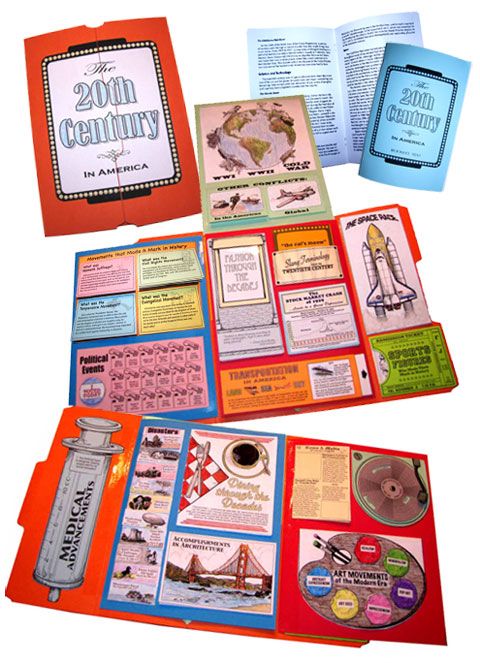
You may be familiar with Homeschool in the Woods, especially if you have ever created a history timeline as they have beautiful drawings of figures to use. We reviewed the Hands-On History Lap-Pak: The 20th Century in America in a downloadable format that contained everything we needed to make a complete Lap Book

 photo 20thCentury-Combined-Web_zpsfb2ecf7e.jpg

How It Worked for Our Family


I was excited to try something we had never done before and learning about our own country is probably one of our favorite things in history. And while I typically like to expand on a program by adding in more books this time we used the program as is and it was meaty enough on it's own. Although for reading time I did have the kids select books from American history.

There are 22 projects giving a brief overview of American during this time in history. You can either print everything out at one time, and that might be a good idea for an organized family but for me it worked better to print as needed. I did print out the entire history text which is either in a booklet form to keep with your lapbook, which looks really nice, or in full size pages to put in a binder. Then I went project by project printing as needed. That way I knew I wouldn't loose them. And that is the beauty of a downloadable file, you always have the pages you need right at your fingertips.

And while I had planned on using this intensively day by day to get through it life circumstances changed that. And in the end it became more of a once a week project. We read through the lesson text and then the kids could easily work on coloring and putting together the corresponding project pieces. The suggestion is then to put the finished piece in a plastic bag until the end when you assemble the lapbook. This is a fun way to learn and will be something we can continue to do once a week. And having everything basically done for you it isn't near as time-consuming as I had originally thought.

The recommended ages for this is grades 3 - 8. And while you can incorporate your younger children the text might be a little more than they are interested in.

 photo lapbook-project-assembly_zpsa83c2a74.jpg
Assembly of the timeline of Disasters.

 photo Lapbook-projecct_zpsbcc706b4.jpg
Completed project

My Opinion


Upon opening the file I was immediately impressed with how well put together this program was. It was clearly laid out with instructions detailing exactly what needed to be printed out and on what color paper or cardstock. It had buttons to click on for each file so you didn't have to search for them. The files that needed to be printed on a backside of a page were already flipped upside down for you and ready to print. And while I typically do not like having to print everything out this was not bad and you can do it a project at a time as I did. It also had pictures to reference to see that you were completing the project as instructed.

There are supplies like a colored folder, glitter, colored printer paper, etc. to purchase to create the lapbook and I suggest you gather those right away so you have them as needed.

I love the high-quality artwork of each project. And they all have dimension to make them more appealing to the eye.

Details


The 20th Century in America lap-pak (recommended for grades 3 - 8)  is available in:
- Download Version - $21.95 or
- CD Version - $22.95

Click to read more reviews of this and other lap-paks from Homeschool In the Woods.


 photo DisclaimerGraphic1_zpsf612f371.gif

Monday, April 22, 2013

TOS Crew - Progeny Press Review

As long as we have been homeschooling I have been a fan of literature-based learning. As the children have gotten older and more advanced in their reading I have turned to study guides to see what they are comprehending. Progeny Press is a great company for that. Progeny Press creates study guides for great literature examining it from a Christian perspective. 

 photo 26018_10150154187290243_4120345_n_zpsd9393f12.jpg

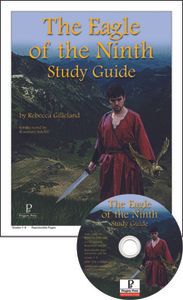
I chose the study guide for The Eagle of the Ninth for George and we used the instant download.


 photo a64736b13871cd6e873942_m_zps5e484c2e.jpg

How It Worked for Our Family

The study guide does not come with the book but that isn't a problem as we were able to check it out from the library. Initially George began reading The Eagle of the Ninth but he was struggling through the first chapter having a hard time comprehending it. (There are quite a few words even I didn't know the meaning of!) I did have him use the study guide to help and that did give him a better grasp of what was happening. I began reading it as well and could see that it was maybe a bit over his reading level. But we did like the study guide itself.

The study guide was an easy download and the files are adobe pdf. This is an interactive study guide and included an answer key. What was very nice about this guide was George could fill in his multiple choice answers and type out the essay portion right on the computer and then would save the file with his answers. No writing involved, a big plus as far as he is concerned and I was happy to not have another thing to print out. Being interactive it also would jump to a specific chapter when clicking on it in the table of contents rather than having to scroll through.

I was very happy with the content of the study guide. It causes you to really analyze what you have read. It also includes vocabulary words you may not have known, which in this book was a lot! It includes grammar and writing techniques. The portion called "Dig Deeper" gives you food for thought taking a part of the story and coming at it from a biblical perspective. For instance, in talking about how British tribes react in anger the study guide gives bible verses to look up to see what God's Word has to say about anger.

While the book may be difficult I found the study guide to be very beneficial. And in looking at all of the guides available from Progeny Press I know I will be utilizing them more often.

Details

The Eagle of the Ninth study guide is available from Progeny Press for $16.99 for CD or instant download and $18.99 for printed booklet. This does not include the book. The recommended level for this one is 7 - 9th grade.

Progeny Press has a vast selection of study guides from lower elementary, all the way through high school each varying in price. You are able to purchase many of the books needed from them as well.

Click to read more reviews on some of the other study guides Progeny Press has to offer. 


 photo DisclaimerGraphic1_zpsf612f371.gif

Sunday, April 14, 2013

TOS Crew - Supercharged Science Review

Science at our house seems to come naturally as the boys have always been interested in how things work, the mechanics of something and are just very curious. And while I prefer books to look at for ideas of experiments to follow I am finding online programs that are very well done and useful for more in-depth learning. Supercharged Science is one of them.

 photo science_zps3636642f.jpg

Supercharged Science is an online learning program for grades K-8 and 9-12 that has everything planned out for you. It is loaded with study units and within each there is reading material, videos to watch, experiments to do, and exercises to see how much you have learned. This can be used alone or alongside your current curriculum and it includes a conversion chart to see how they correlate.

 photo escience-full-600px_zps738b5d59.jpg

How It Worked For Our Family

Pete and Re-Pete were very excited about a chance to do more experiments and Pete especially took off with this program on his own. Now, it can be used in many different ways but as recommended the way to pull them in is to start with experiments. There are over 800 experiments in all so there is a lot to choose from. They also recommend quality not quantity which I really appreciate.

The study units are so full of information that you can spend weeks on one unit alone depending on how in-depth you want to go. We began with the first unit on Mechanics and watched the introduction from Aurora, the creator of Supersharged Science, then followed her instructions on what to do next. There is an outline for each unit to select what follows. After that the boys began to jump around looking at what was all offered and what experiments they could do. In the Chemistry unit they were quite amazed to be able to "see" carbon dioxide. And all of the children would be around when it was experiment time.

We did not go quite as in-depth as we could have and  mainly watched the videos and did experiments talking about some of the vocabulary words that were listed in the lesson plan. Now that we have used this program for a few weeks I see that it will really fill a need.

 photo experiment-2_zpsbc4d8399.jpg

Carefully pouring the invisible Carbon Dioxide (made from baking soda and vinegar). Our balance is not perfect but it works with this experiment.

 photo experiment_zpscaf86573.jpg

You can see that the cup on the left went down from the gas and now you can "see" it.

What I Liked

I have probably said this before but I love when everything is planned out for me. Organization is not one of my skills and Supercharged Science is totally organized leaving me nothing to do but gather supplies for experiments. It has:

  • Videos with Aurora who is so engaging as she explains the unit to the student.
  • Supply lists for each unit conveniently located on the navigation bar 
  • Vocabulary words with definitions ready to print out. 
  • Reading material to expand on what has been learned about gravity and friction for example. 
  • Experiments with video instruction in addition to completely written out instruction if needed.
  • Exercises with questions to see what has been learned.
  • And answers to those questions.
What I appreciated the most was the service from Supercharged Science. Aurora periodically sent emails with additional fun experiments for the kids to try and was always so encouraging and excited about the tidbits of information she was sharing. Any question you need answered and she was available.

The only downside, which is so minor, is that we rarely had all of the supplies needed for the experiments that the boys would choose. Not that they are rare, rather we lack many basic things like paperclips. So they began to look for experiments where we had everything we needed. That is the one area I need to prepare better for. Instead of jumping around I am now going to have them go from unit to unit so that I can gather all that is needed.

Details

Membership for one month of e-Science for K-8 is $37 and e-Science 9-12 is $57. During the first month students get access to the first 7 units, plus additional sections like “The Scientific Method”. In addition, if there is a later unit or two that you would like early access to you can send an email and you will get free access to it immediately. This way, if someone is working on a certain topic, they are never made to wait months to have access to it. Each month, you get access to the next 2 units in order. If you would cancel your subscription your access ends.

Supercharged Science does offer a trial membership for a month so give it a try! 


Photobucket

 photo DisclaimerGraphic1_zpsf612f371.gif

Monday, April 1, 2013

TOS Crew -- Math-U-See Review

Math is something I have always struggled with. A couple of my boys are very natural in this area while a couple have to work for it. I am always looking for what will work best and at times that isn't always a good thing. It seems George has tried math program after math program. There is one that he liked or rather endured but I knew he needed something to help him "see" it. Enter Math-U-See.


 photo MathUSeelogo3_zps75a0efc5.gif

George and I reviewed the Epsilon level from Math-U-See. 

 photo epsilon-Book-and-DVD_zps6676f688.gif

How It Worked for Our Family

At this level the program is very self-paced. The Instruction Manual says to "present and explore the new concept together". And while it is something I would definitely do with the younger kids I watched the first lesson with George and we decided he could tackle this on his own.

George viewed the DVD lesson and worked through the corresponding practice. There are about 3 pages of lesson practice. Once they are mastered they are followed by 3 pages of systemic review which review not only the new concept but also previously learned concepts. Once George mastered the concept he did not need to complete all of the review and went on to take the test. The time it took for each lesson varied based on how quickly he caught on and understood. I did allow him to check his own work and I'd periodically look it over.

 photo Math-U-See-George_zps88fadeb8.jpg

So George, how do you like Math-U-See?  "I like it."

Why? "Because it explains how and why you do the problems better than other math programs do."

What do you think about the DVD lesson?  "He (Steve Demme) is funny which keeps my attention."

We also used fraction overlays which helped George in the beginning but then he was able to see how it worked in his mind and no longer needed them.

Details

The Epsilon level mainly covers fractions. Math-U-See does not have graded levels and is taught sequentially building upon each math concept which I really like. That is very helpful to the child who struggles with math as the grade level they "should be at" isn't dangled over their head. To determine what level your child is ready for there is a placement test to help you and I found it to be very accurate.

New to the 2012 student workbook they added a page called "Application and Enrichment". George said this is "for fun" but really it is to use what they have learned in different formats. And some of the problems may be things that would be seen on standardized tests which is helpful.

Purchasing Information


To find out more about Math-U-See read what others on the Review Crew thought


 photo DisclaimerGraphic1_zpsf612f371.gif

Monday, March 25, 2013

TOS Crew Review - The Art of Poetry

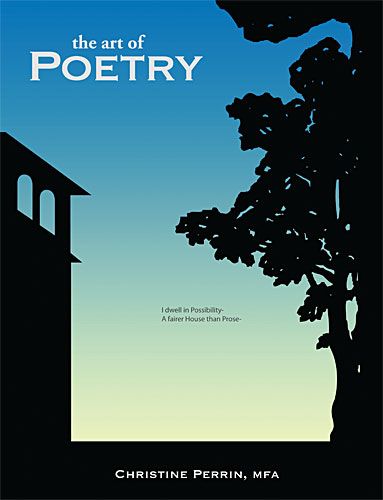
Roses are red, violets are blue... that is about the extent to any poems I have memorized. The children and I have read some simple books of poetry and of course the classic Robert Frost book Stopping by the Woods on a Snowy Evening. When I first looked at The Art of Poetry from Classical Academic Press I thought I had better take a pass as it appeared to be over George's head. But in giving it a second thought knew it would be good to expand our horizons and even challenge our thinking a bit.

Photobucket

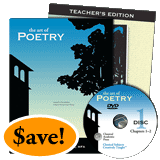
George and I reviewed The Art of Poetry Student Text and Teachers Edition along with the first DVD in the set. Both are large softcover durable books and are geared for 6th grade and up.


Photobucket

How It Worked For Us

George and I worked through The Art of Poetry together. Being that I am a bit "mystified" by poetry myself I knew it would be good for me also. The book is setup to use in whatever way works best for your family and gives sample schedules to guide you. This is something we needed to take slowly. 

Lesson -- Each lesson contains a number of poems. For example the first lesson had 6 poems. George began by reading the chapter about one of the elements of poetry -- Images. For each poem there are anywhere from 3- 8 questions to get you thinking more about what you just read. What works best for us is studying a few poems each week.

Activities -- There are optional activities to choose from at the end of each chapter. They include things like re-writing your own version of a poem, describing something using four images, and one we enjoyed was a word association game where I said one word and George and Pete would answer back with words that popped into their mind to see how everything would connect.

DVD lesson -- You do not have to have the DVD's as the Teachers Edition has so much information to assist you but I enjoyed watching the lesson. The teacher is the author of the book, Christine Perrin, along with 4 students in a sort of round table discussion. They go through the various poems in the lesson giving insight about each. Some of what they talk about George said was in his lesson and other ideas they present are in the Teacher's Edition. What I liked best was the little extras. For instance, in memorizing the poem Dust of Snow by Robert Frost there were helpful hand motions and also a rhythm in how they spoke that helped us (especially George) to learn quickly. Having the Teacher's Edition I wouldn't have come up with that on my own.

George still isn't thrilled with Poetry but at least one poem a week will be incorporated into his weekly routine. It is very beneficial in helping him to give more thought to what he is reading and be able to interpret it's meaning.

My Thoughts

The Art of Poetry is very well-planned out which makes my job so easy! I love the Teachers Edition and without it we would be floundering. When George would read through a poem and try to answer questions he would occasionally get stuck, especially when a questions says, "What is the significance of?" Well, let me see, I have this handy-dandy guide that answers each question and so I could give hints to get him on the right train of thought. It also gives more insight to each poem.

I really like that this incorporates vocabulary words and writing and gives your mind a workout.

Pricing Details

Note -- prices have dropped but are not yet reflected on the website


Photobucket

The price of The Art of Poetry bundle (student text, teachers edition and DVD series) is now $99.95!

The items can also be purchased individually:

Student Text -- $24.95
Teacher's Edition -- $29.95
The Art of Poetry DVD set which is over 15 hours of instruction is now $69.95


You can read more reviews on The Art of Poetry and also Discovery of Deduction from The Schoolhouse Review Crew.


 photo DisclaimerGraphic1_zpsf612f371.gif
Related Posts Plugin for WordPress, Blogger...